

The “Fake Pop-Up” Login Scam That Looks Real
Imagine this scenario. You click a link to access something from a service or program you’re familiar with. Maybe it’s from a shared document, an online tool, or an email that appears to come from the service. The page loads normally and doesn’t raise any immediate red flags.
When you go to sign in, a familiar login pop-up window appears. It looks like a standard Google or Microsoft sign-in prompt, complete with recognizable branding and what appears to be a legitimate web address in the corner of the window.
You enter your email and password. You’re asked to complete a verification step and receive a link to your phone. You move on, assuming the login worked as intended.
From your perspective, everything feels routine. But what you interacted with wasn’t actually a real browser pop-up.
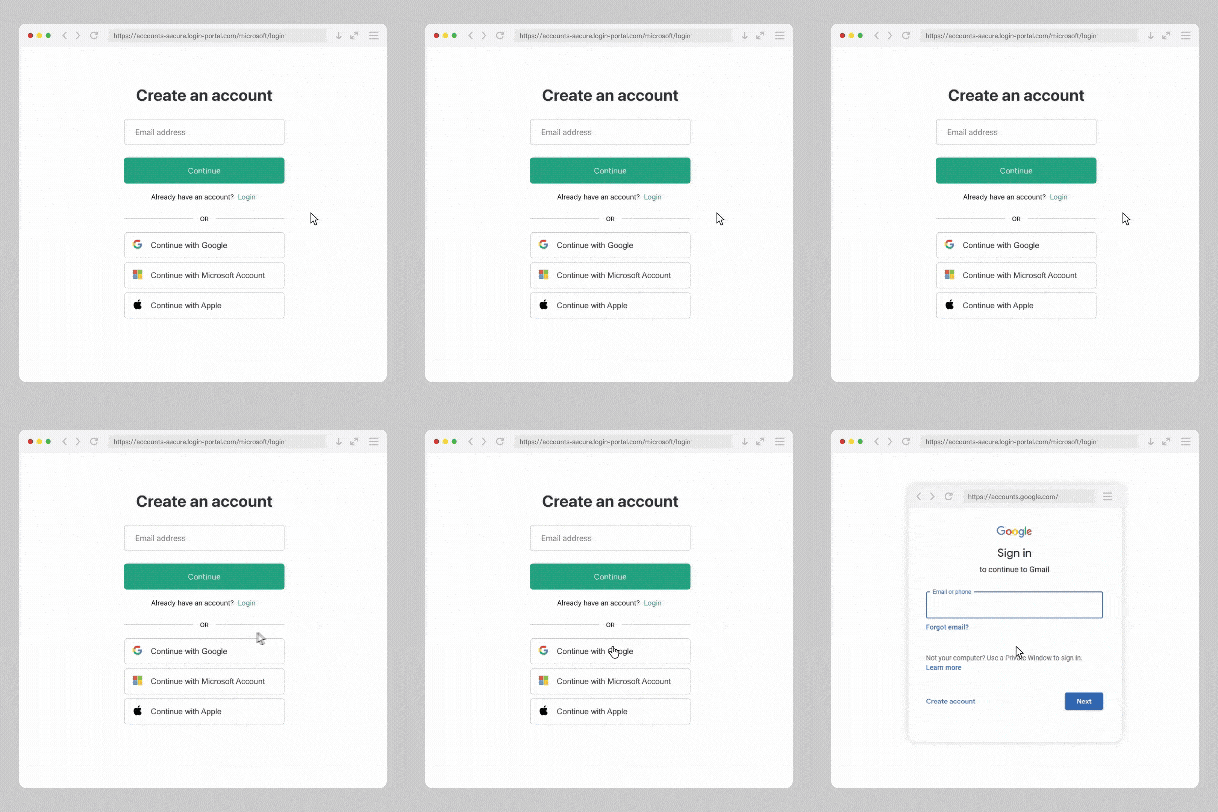
How this type of scam works
In this scam, attackers create a fake login window that is built directly into the webpage using HTML and CSS. It’s designed to look like a real browser pop-up, even though it never leaves the page you’re on.
That includes the address bar you see inside the window. While it may display a familiar-looking link, it isn’t even a real browser address bar at all. It’s just part of the design. In the example pop-up below, you can see that the address bar displays the legitimate link for a Google sign-in and appears indistinguishable from the real thing.
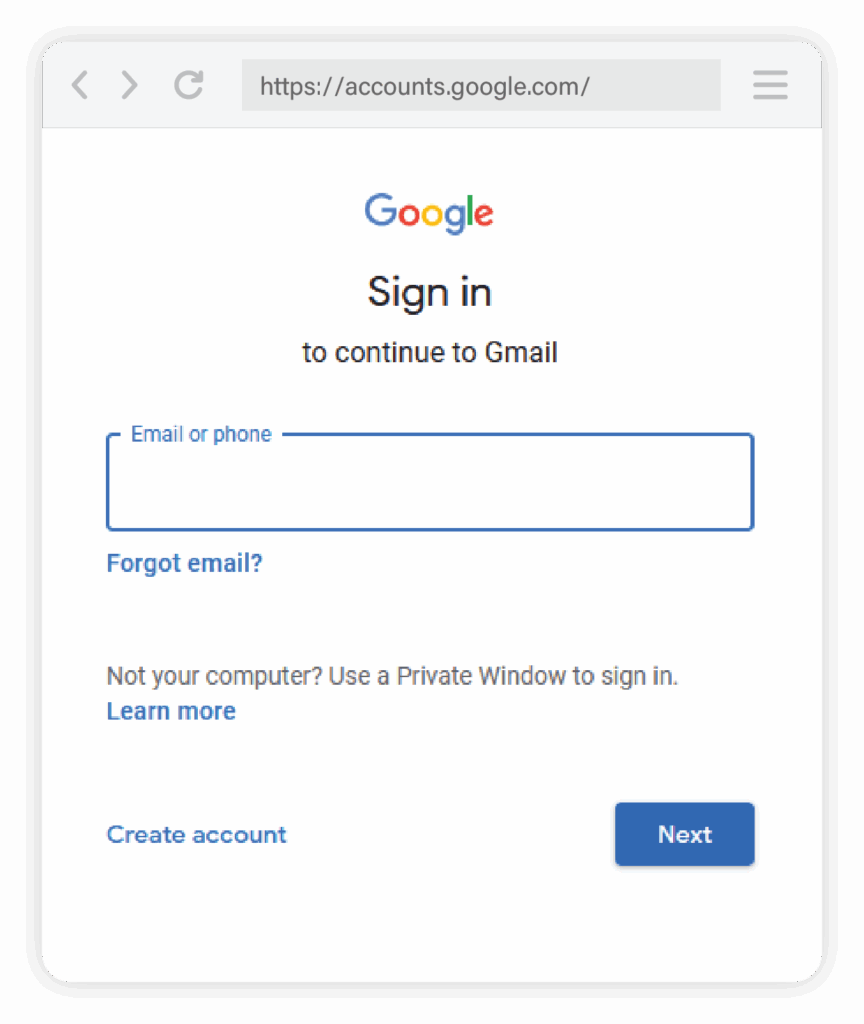
When someone enters their login information into this fake window, the details are sent directly to the attacker.
The key detail is timing. As soon as those credentials are entered, the attacker immediately uses them to attempt a real login on the legitimate Google login page. This happens in real time, while the user is still interacting with the fake window.
If the account requires two-factor authentication, the user will still receive a valid verification prompt. That might be a one-time code or an approval request through an authentication app. Since the user just entered their login details, they would be expecting this prompt and likely to enter it in to the fake page upon receipt.
By entering that code or approving the request, the user is unintentionally completing the login for the attacker. The security step itself is real, but it’s being used at the wrong moment and in the wrong context.
Why this scam can be hard to spot
This type of attack is effective because it closely mimics normal login behavior.
The page itself may not look obviously suspicious unless you inspect the link carefully. The fake login window looks familiar, and the process follows the same steps users expect when signing in.
What adds to the confusion is that the fake window often displays what appears to be a legitimate web address. Because the entire window is part of the webpage, that address isn’t actually verifying anything. It’s just there to reinforce trust.
On smaller screens or when someone is moving quickly, these details are easy to miss. However, this is why it’s so important to double-check the URL of the real browser window (the one behind the pop-up) to ensure it is legitimate.

Two-factor authentication still plays an important role
Two-factor authentication remains an important security tool, and it does exactly what it’s designed to do when credentials are protected.
In this scenario, the issue isn’t a failure of two-factor authentication. The issue is that the login information and verification are provided to an attacker at the same time through a deceptive interface.
That distinction matters, especially when understanding how these scams work and how to avoid them.
How to tell when a login window may not be real
Instead of focusing on how a login prompt looks, it helps to pay attention to how it behaves.
A few simple checks can make a difference:
- Try dragging the login window outside your browser. A real browser or system window can move freely. A fake one will stay locked inside the page.
- Be cautious of login prompts that appear unexpectedly after clicking a link.
- Don’t rely on the address shown inside a pop-up window. In these scams, it’s part of the design, not a real browser element. Always check the URL in the address bar of the actual webpage (the one behind the pop-up).
- If you’re unsure, open a new tab and go directly to the site instead of logging in through the pop-up.
Password managers can also help by only autofilling credentials on legitimate sites, which can serve as a useful warning sign.
Final takeaway
Scams like this succeed because they blend into everyday online routines. They don’t rely on urgency or obvious warnings. They rely on familiarity.
Slowing down and taking control of where and how you log in can go a long way toward keeping your accounts secure. And if you’re looking for extra protection at home, Cumberland Connect’s Peace of Mind Package adds another layer of security to your network. Stay safe!
